
Noviz AI for ERPNext
Agentic AI workflow orchestration on your existing ERPNext. Every operation runs under the user’s permissions and waits for confirmation before it is saved.
- Publisher
- Zeetech Soft Solution
- Delivery
- Frappe app on your ERPNext site
- Availability
- Frappe Cloud Marketplace
- Price
- See pricing
How it works
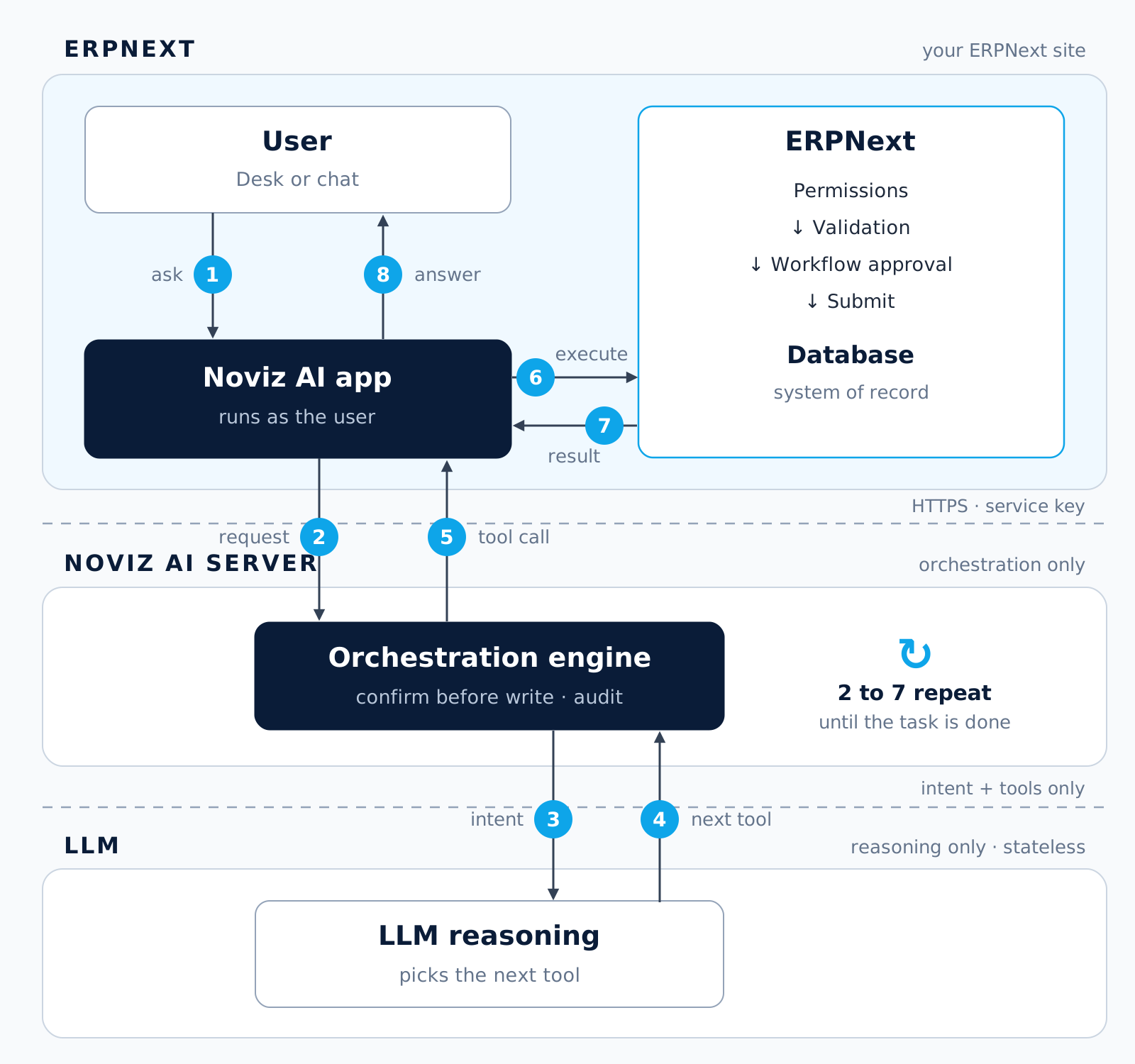
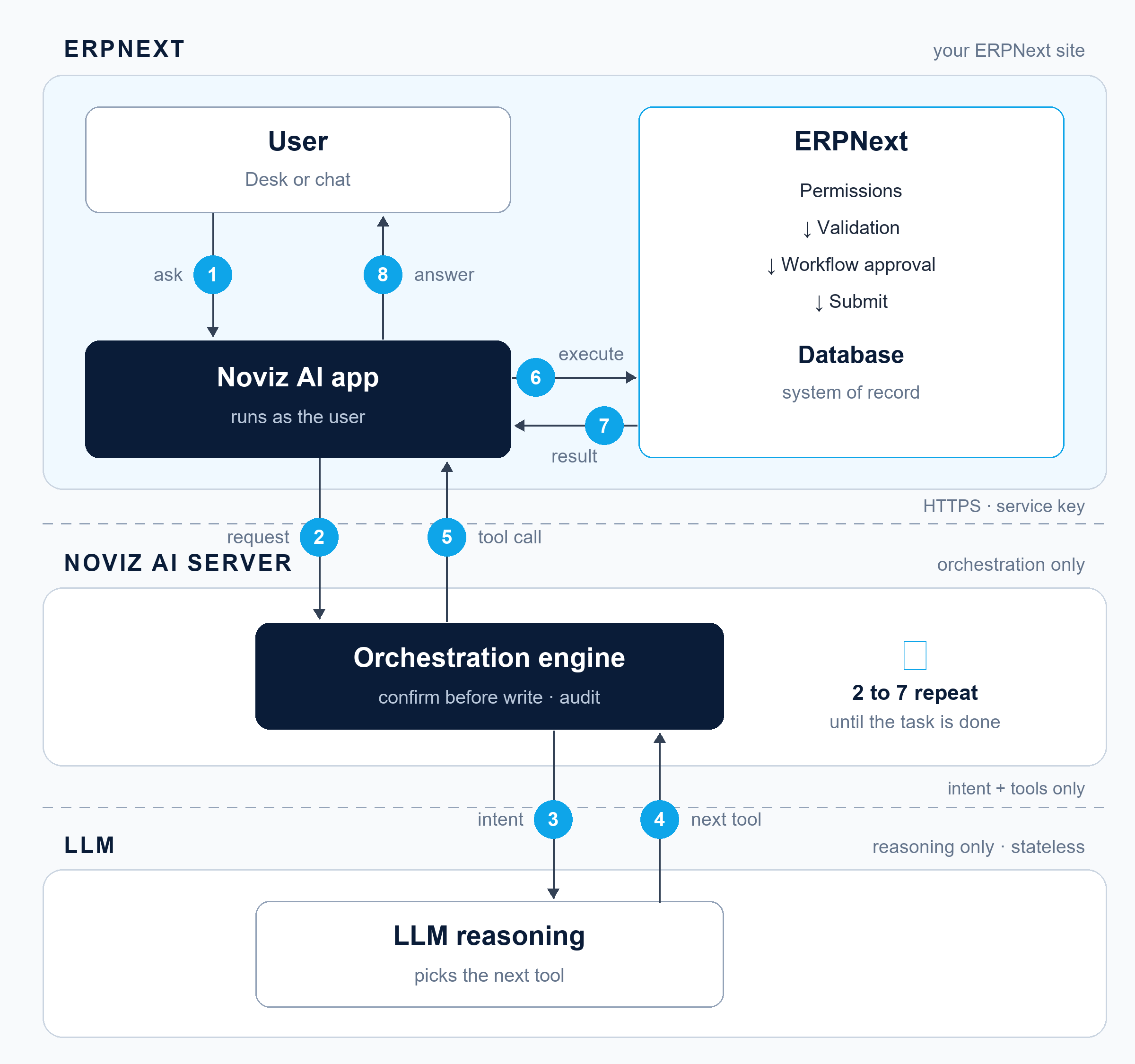
Noviz AI Server Layers
The Noviz AI server separates ERPNext, the system of record, from AI orchestration and workflow automation.
Capabilities
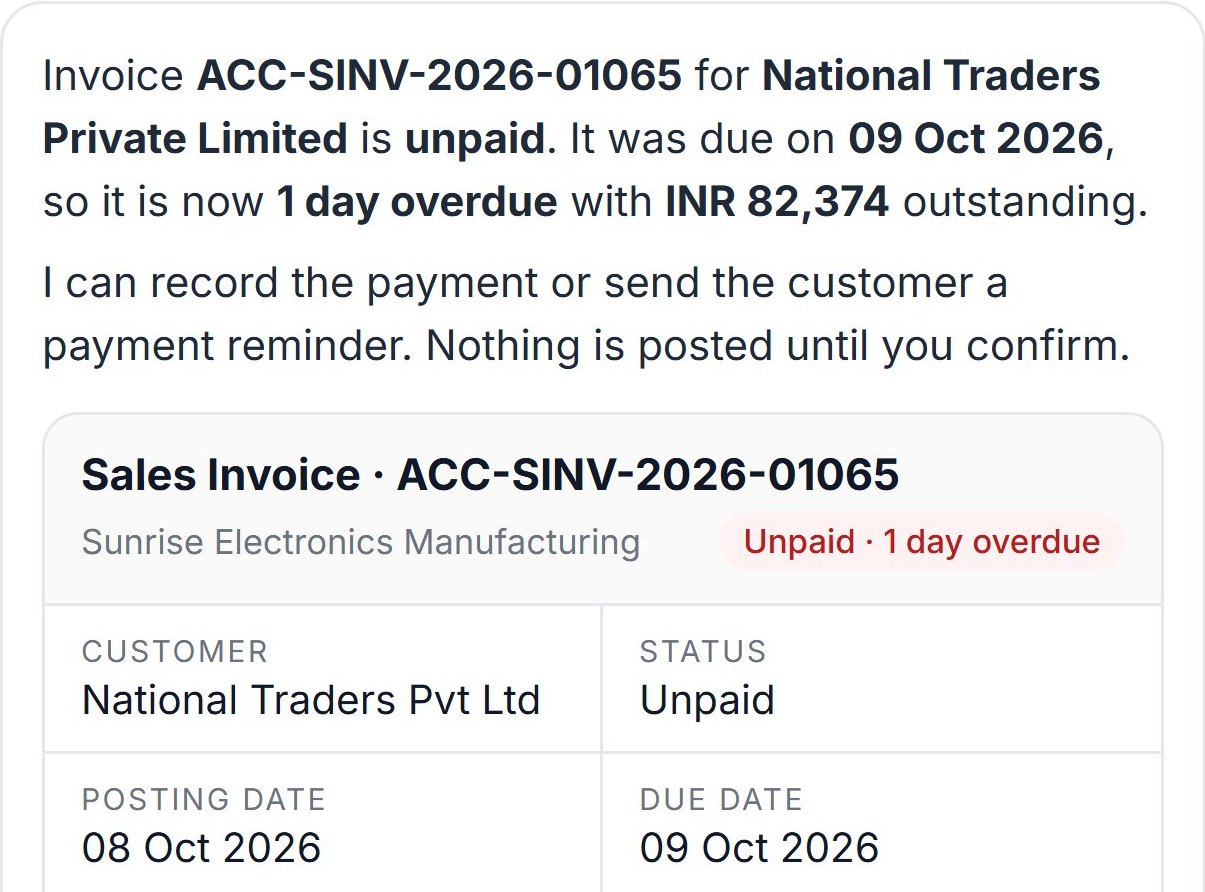
Business processes, delegated
Document types
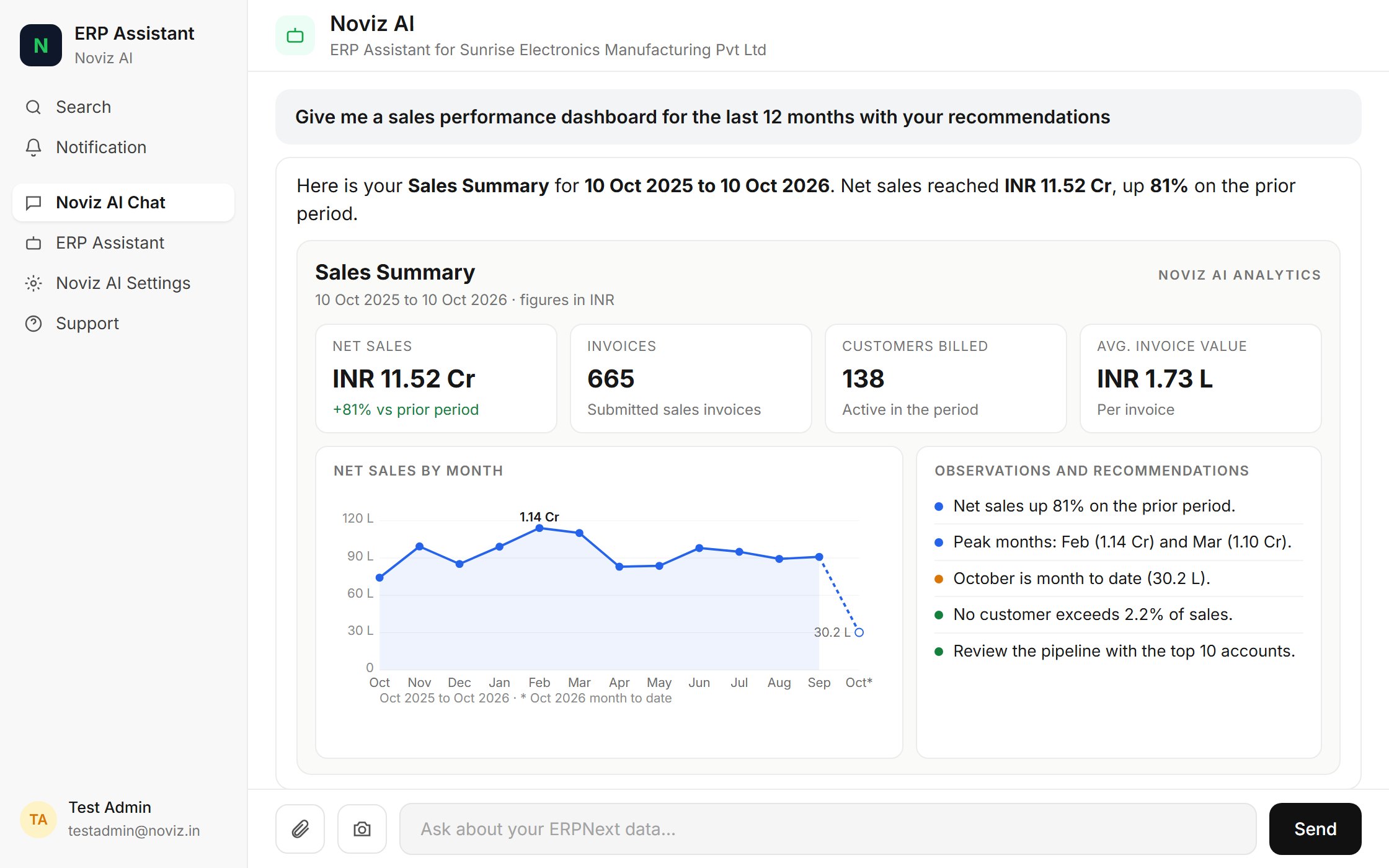
Reads and writes the document types your admin enables.
Drafts first
New and updated records are saved as drafts; ERPNext’s workflow approves them.
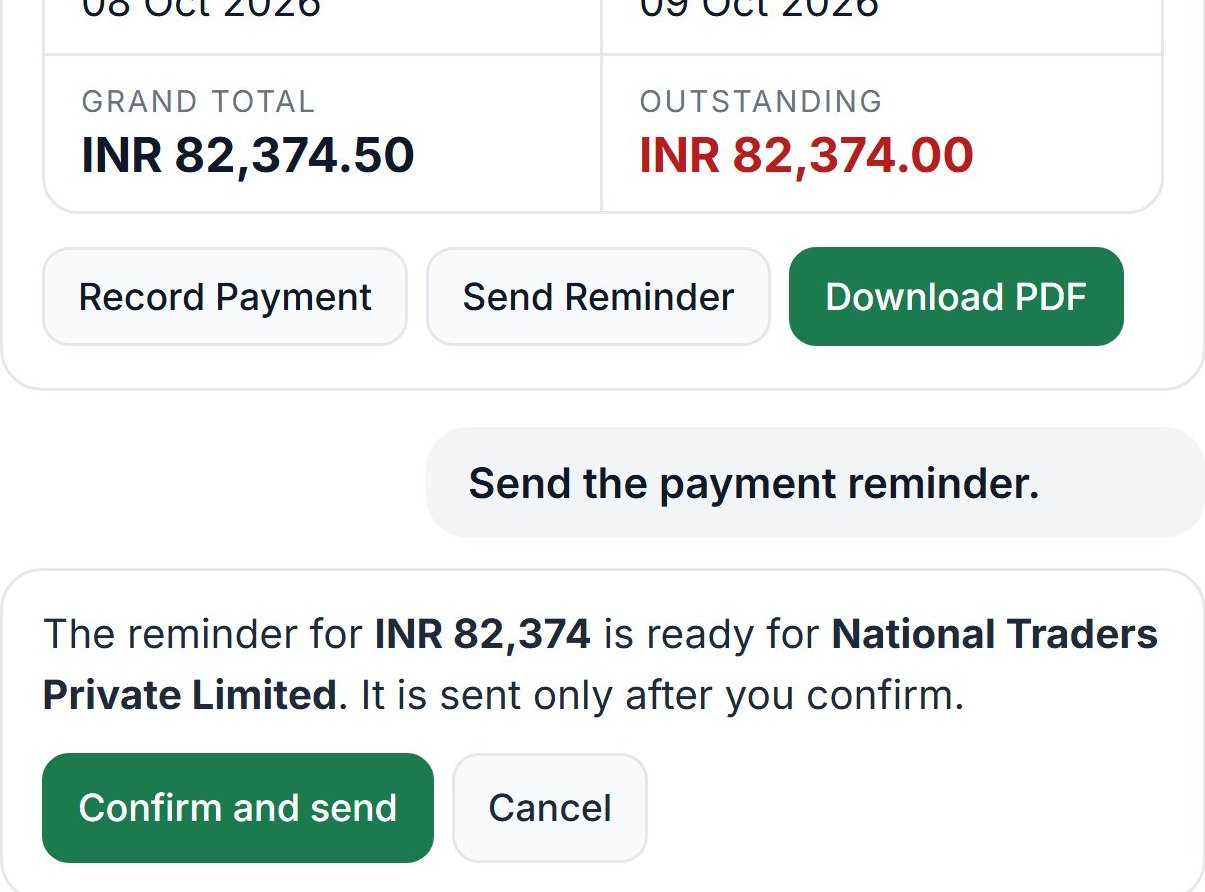
Confirm before saving
Each change is shown first and saved only after the user agrees.
Workflow actions
Moves documents through ERPNext’s own workflows.
Reports and PDFs
ERPNext reports and print formats, delivered as PDF.
Analysis
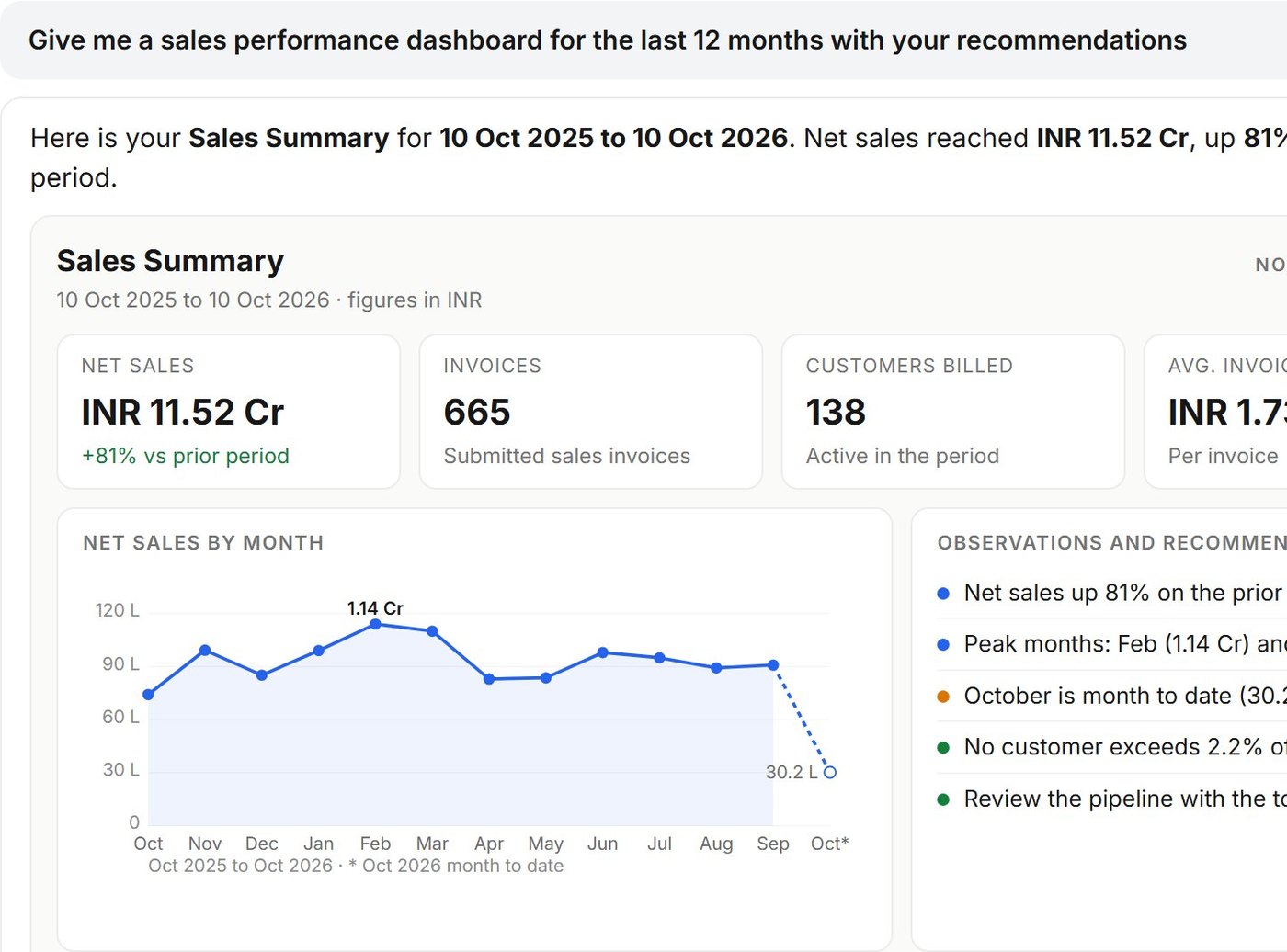
Tables, record views and charts from live records.
Product
Inside ERPNext
Workflow customisation
Customised layer by layer
Standard ERPNext
Standard documents, workflows and approvals from day one.
Your customisations
Custom DocTypes, fields, scripts and approval workflows.
Client-specific workflows
Multi-step processes and AI agents built around each client.
Deployment
Managed platform, or a dedicated, isolated orchestration server.
Governance
Governed by ERPNext
Your permissions
Runs as the signed-in user and sees only what that user may see.
ERPNext decides
Validation and approvals stay with ERPNext; its answers are shown as returned.
Admin controls
Read and write switches per document type, and a confirmation setting per company.
Installation
From marketplace to first answer
Install the app
From the Frappe Cloud Marketplace, or with bench on a self-hosted site.
Enter the token
Paste the token from your purchase email in Noviz AI Settings.
Give users access
Assign the Noviz AI Agent role. It grants chat access only.
Verify
Open Noviz AI Chat and ask a first question.
Resources
Related
Contact
Talk to us
Tell us about your ERPNext site. We reply by email.
Talk to us
Name, work email and company are required.