Blog · Product
Noviz AI Settings – Relay, Email Integration & Company Policies
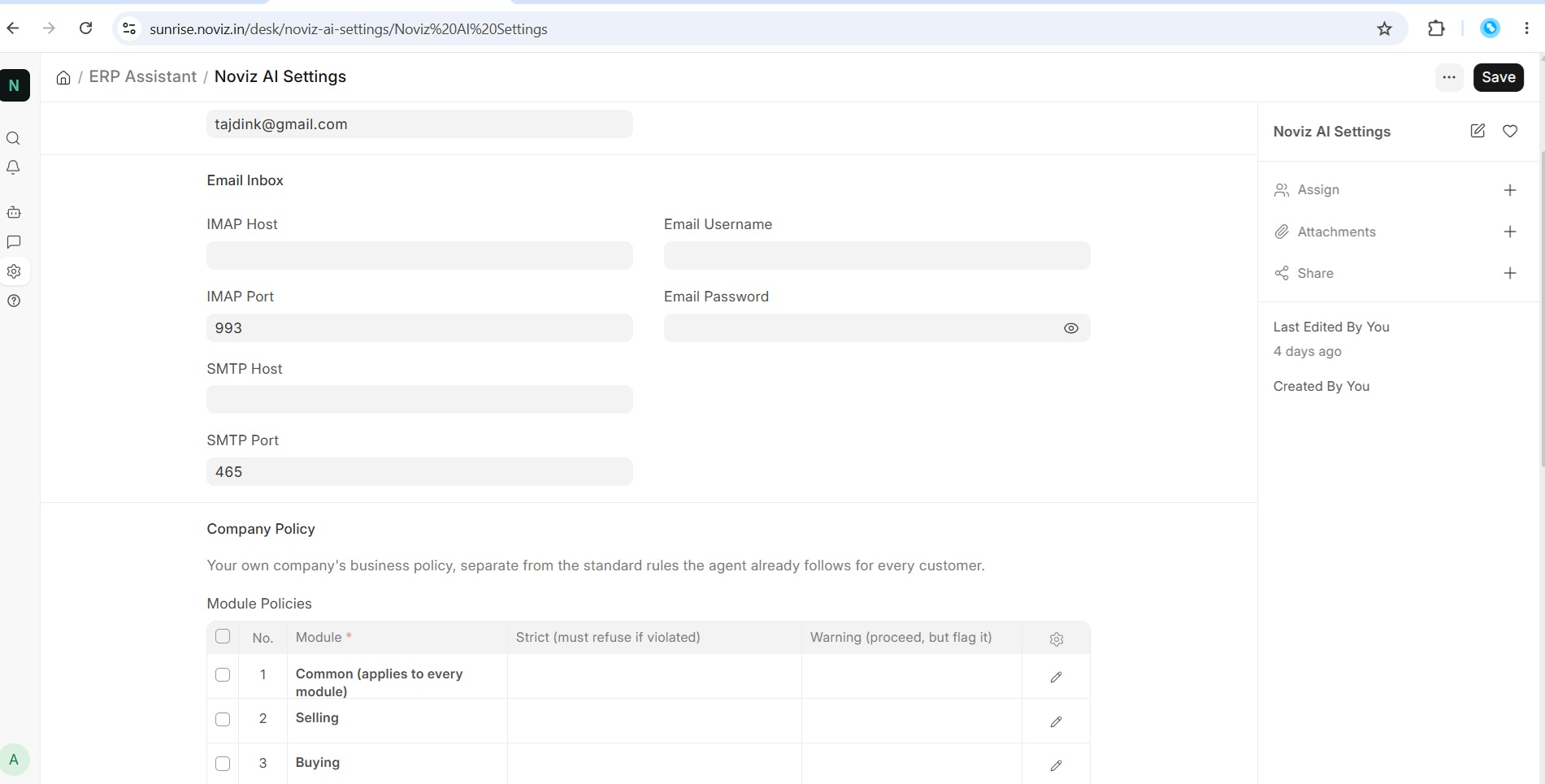
After installing Noviz AI, you will see a dedicated Noviz AI Settings section in ERPNext.
If you log in as an Administrator, you can access the following settings:
-
Relay Token – The Relay token is required for the Relay to connect with the AI configurations and communicate with the ERPNext environment.
-
Company Policy – The company policy settings allow you to define your organisation’s business rules and policies. These policies become part of the AI agent’s context and can be used to validate actions and ensure the agent follows your company’s business rules.
The Email Settings are available separately to each user. Every user can configure their own email settings for AI-powered features such as automatic replies, email drafting, and other email assistance, using the relevant ERPNext data and business context.
The idea is to keep the AI agent connected to the ERPNext environment while allowing the company to define its own business rules and policies, while giving each user their own email configuration.
A demo site is also available to explore Noviz AI:
Feedback and suggestions are welcome.